there are a couple plugins to improve rovr’s functionality. enable and configure them in your config.toml file.
01:43:17
rovr
+
──────────
╴
────
╶
───────────────────────────────────────────────────────────────────────────────────────────────────────────
╭
─
Options
───────────────────────────────────────────────────────────────────────────────────────────────────────────────
╮
│
│
│
─────────────────────────────────────────────────────────────────────────────────────────────────────────────────────────
│
│
╭
─────
╮
╭
─────
╮
╭
─────
╮
╭
─────────────────────────────────────────────────────────────────────────────────────────────
╮
│
│
│
│
│
│
│
│
│
C:/Users/notso/Git/NSPC911/rovr/
│
│
│
╰
─────
╯
╰
─────
╯
╰
─────
╯
╰
─────────────────────────────────────────────────────────────────────────────────────────────
╯
│
╰
─────────────────────────────
╭
─
zoxide
───────────────────────────────────────────────────
╮
──────────────────────────────
╯
╭
─
Sidebar
─────
╮
╭
─
Files
────
│
E
nter directory name or pattern
│
eview
────────────────────────
╮
│
Search
│
│
() Search
╰
────────────────────────────────────────────────────────────
╯
│
│
Home
│
│
.git
╭
─
Folders
──────────────────────────────────────────────────
╮
│
│
Downloads
│
│
.github
│
500.0 │ C:\Users\notso\Git\NSPC911\rovr
│
│
│
Documents
│
│
.venv
│
64.0 │ C:\Users\notso\Downloads
▁
│
│
│
Desktop
│
│
docs
│
48.0 │ C:\Users\notso\Git\NSPC911\rovr\docs
│
│
│
Pictures
│
│
img
│
32.0 │ C:\Users\notso\Git\NSPC911\forks\helix
│
DITMSG
│
│
Videos
│
│
src
│
10.5 │ C:\Users\notso\Git\NSPC911
│
│
│
Music
│
│
.coderabb
│
9.5 │ C:\Users\notso\Git\NSPC911\forks\textual
│
ion
│
│
Pinned
│
│
.gitignor
│
8.5 │ C:\Users\notso\.local\share\chezmoi
│
AD
│
│
Git
│
│
.pre-comm
│
7.0 │ C:\Users\notso\AppData\Local\rovr
│
│
│
Screenshots
│
│
AGENTS.md
│
5.0 │ C:\Users\notso\Git\NSPC911\nspc911.github.io
│
│
│
chezmoi
│
│
CHANGELOG
│
4.0 │ C:\Users\notso\Git\NSPC911\rovr\docs\public
│
│
│
rovr
│
│
cliff.tom
│
3.5 │ C:\Users\notso\Git\NSPC911\test
│
D
│
│
Drives
│
│
CODE-OF-C
╰
─────────────────────────────────────────────────────
1/68
─
╯
efs
│
│
C:/
│
│
CONTRIBUTING.md
│
│
│
╰
───────────────
╯
╰
─────────────────────────────────────────────
NORMAL
─
1/20
─
╯
╰
─────────────────────────────────────────
╯
╭
─
Processes
───────────────────────────
╮
╭
─
Metadata
────────────────────────────
╮
╭
─
Clipboard
───────────────────────────
╮
│
│
│
Type
Directory
│
│
│
│
│
│
Permissions
drwxrwxrwx
│
│
│
│
│
│
Size
--
│
│
│
│
│
│
Modified
2025-11-15 01:33
▃
│
│
│
│
│
│
Accessed
2025-11-15 01:39
│
│
│
╰
───────────────────────────────────────
╯
╰
───────────────────────────────────────
╯
╰
───────────────────────────────────────
╯
zoxide allows you to zip around your filesystem, and can be integrated into rovr
enable: plugins.zoxide.enabled = truekeybinding: the default keybinding to open the zoxide dialog is z.
to allow for more file previews, bat can be used for its syntax highlighting capabilities.
enable: plugins.bat.enabled = trueexecutable: specify the path to the bat executable if it’s not in your system’s PATH.line numbers: toggle line numbers with plugins.bat.show_line_numbers.
22:40:38
rovr
+
╭
─
Options
────────────────────────────────────────────────────────────────────────────────────────────────────────────────────────────────────
╮
│
│
│
──────────────────────────────────────────────────────────────────────────────────────────────────────────────────────────────────────────────
│
│
│
C:/Users/notso/Git/NSPC911/rovr/
│
╰
──────────────────────────────────────────────────────────────────────────────────────────────────────────────────────────────────────────────
╯
╭
─
Sidebar
─────
╮
╭
─
Files
─────────────────────────────────────────────────────────────────────
╮
╭
─
Folder Preview
─────────────────────────────
╮
│
Search
│
╭
─
Find Files
───────────────────────────────────────────────────────────────────────
╮
╭
─
fd options
─────────
╮
│
│
Home
│
│
\.py
│
│
Relative Paths
│
│
│
Downloads
│
╰
────────────────────────────────────────────────────────────────────────────────────
╯
│
Follow Symlinks
│
│
│
Documents
│
╭
─
Files
────────────────────────────────────────────────────────────────────────────
╮
│
No Ignore Parents
│
│
│
Desktop
│
│
docs/scripts/generate_keybinds.py
│
│
Filter Type
│
│
│
Pictures
│
│
docs/scripts/generate_schema.py
│
│
Files
│
│
│
Videos
│
│
docs/scripts/icon_test.py
│
│
Folders
│
│
│
Music
│
│
src/rovr/__init__.py
▁
│
│
Symlinks
│
│
│
Pinned
│
│
src/rovr/__main__.py
│
│
Executables
│
│
│
rovr
│
│
src/rovr/action_buttons/__init__.py
│
│
Empty
│
│
│
scoop
│
│
src/rovr/action_buttons/copy_button.py
│
│
Socket
│
│
│
notso
│
│
src/rovr/action_buttons/cut_button.py
│
│
Pipe
│
│
│
Mods
│
│
src/rovr/action_buttons/delete_button.py
│
│
Char-Device
│
│
│
Drives
│
│
src/rovr/action_buttons/new_item_button.py
│
│
Block-Device
│
│
│
C:/
│
│
src/rovr/action_buttons/paste_button.py
│
╰
──────────────────────
╯
│
│
D:/
│
│
src/rovr/action_buttons/rename_item_button.py
│
│
│
│
│
src/rovr/action_buttons/sort_order.py
│
│
│
│
│
src/rovr/action_buttons/unzip_button.py
│
│
│
│
│
src/rovr/action_buttons/zip_button.py
│
│
│
│
│
src/rovr/app.py
│
│
│
│
│
src/rovr/classes/archive.py
│
│
│
│
╰
─────────────────────────────────────────────────────────────────────────────
1/75
─
╯
│
╰
───────────────
╯
╰
─────────────────────────────────────────────────────────────
NORMAL
─
1/21
─
╯
╰
──────────────────────────────────────────────
╯
╭
─
Processes
──────────────────────────────────
╮
╭
─
Metadata
───────────────────────────────────
╮
╭
─
Clipboard
──────────────────────────────────
╮
│
│
│
Type
Directory
│
│
│
│
│
│
Permissions
drwxrwxrwx
│
│
│
│
│
│
Size
--
│
│
│
│
│
│
Modified
2026-02-20 22:39
▃
│
│
│
│
│
│
Accessed
2026-02-20 22:39
│
│
│
╰
──────────────────────────────────────────────
╯
╰
──────────────────────────────────────────────
╯
╰
──────────────────────────────────────────────
╯
uses fd to search recursively in the current directory
enable: plugins.fd.enabled = trueexecutable: set the executable used to call fdrelative_paths: whether to see paths as relative or absolutefollow_symlinks: search inside symlinks as wellno_ignore_parent: do not respect ignore files from parent directories (e.g., .gitignore)default_filter_types: set default item filters (like file, directory, etc.)
22:41:02
rovr
+
╭
─
Options
────────────────────────────────────────────────────────────────────────────────────────────────────────────────────────────────────
╮
│
│
│
──────────────────────────────────────────────────────────────────────────────────────────────────────────────────────────────────────────────
│
│
│
C:/Users/notso/Git/NSPC911/rovr/
│
╰
──────────────────────────────────────────────────────────────────────────────────────────────────────────────────────────────────────────────
╯
╭
─
Sidebar
─────
╮
╭
─
Files
─────────────────────────────────────────────────────────────────────
╮
╭
─
Folder Preview
─────────────────────────────
╮
│
Search
╭
─
Find in files
────────────────────────────────────────────────────────────────────
╮
╭
─
rg options
──────────
╮
│
│
Home
│
textual
│
│
Case Sensitive
│
│
│
Downloads
╰
────────────────────────────────────────────────────────────────────────────────────
╯
│
Follow Symlinks
│
│
│
Documents
╭
─
Results
──────────────────────────────────────────────────────────────────────────
╮
│
Search Hidden Files
│
│
│
Desktop
│
uv.lock:
67
│
│
No Ignore Parents
│
│
│
Pictures
│
docs/src/content/docs/reference/schema.mdx:
26
│
╰
───────────────────────
╯
│
│
Videos
│
docs/src/content/docs/dev/reference/schema.mdx:
26
▄
│
MMIT_EDITMSG
│
│
Music
│
src/rovr/app.py:
15
│
nfig
│
│
Pinned
│
src/rovr/config/schema.json:
13
│
scription
│
│
rovr
│
src/rovr/classes/config.py:
13
│
TCH_HEAD
│
│
scoop
│
pyproject.toml:
12
│
AD
│
│
notso
│
src/rovr/core/file_list.py:
12
│
dex
│
│
Mods
│
src/rovr/core/preview_container.py:
11
│
encode
│
│
Drives
│
src/rovr/first_launch.py:
10
│
IG_HEAD
│
│
C:/
│
src/rovr/action_buttons/copy_button.py:
10
│
cked-refs
│
│
D:/
│
src/rovr/screens/fd_search.py:
9
│
│
│
│
src/rovr/screens/rg_search.py:
9
│
│
│
│
src/rovr/footer/clipboard_container.py:
8
│
│
│
│
src/rovr/header/tabs.py:
8
│
│
│
│
src/rovr/screens/archive_creator.py:
8
│
│
│
│
src/rovr/screens/__main__.py:
8
│
│
│
╰
────────────────────────────────────────────────────────────────────────────
1/116
─
╯
│
╰
───────────────
╯
╰
─────────────────────────────────────────────────────────────
NORMAL
─
1/21
─
╯
╰
──────────────────────────────────────────────
╯
╭
─
Processes
──────────────────────────────────
╮
╭
─
Metadata
───────────────────────────────────
╮
╭
─
Clipboard
──────────────────────────────────
╮
│
│
│
Type
Directory
│
│
│
│
│
│
Permissions
drwxrwxrwx
│
│
│
│
│
│
Size
--
│
│
│
│
│
│
Modified
2026-02-20 22:39
▃
│
│
│
│
│
│
Accessed
2026-02-20 22:39
│
│
│
╰
──────────────────────────────────────────────
╯
╰
──────────────────────────────────────────────
╯
╰
──────────────────────────────────────────────
╯
uses ripgrep to search inside files
enable: plugins.rg.enabled = trueexecutable: set the executable used to call rgcase_sensitive: whether the search is case sensitivefollow_symlinks: search inside symlinks as wellno_ignore_parent: do not respect ignore files from parent directories (e.g., .gitignore)search_hidden: whether to search hidden files and directories
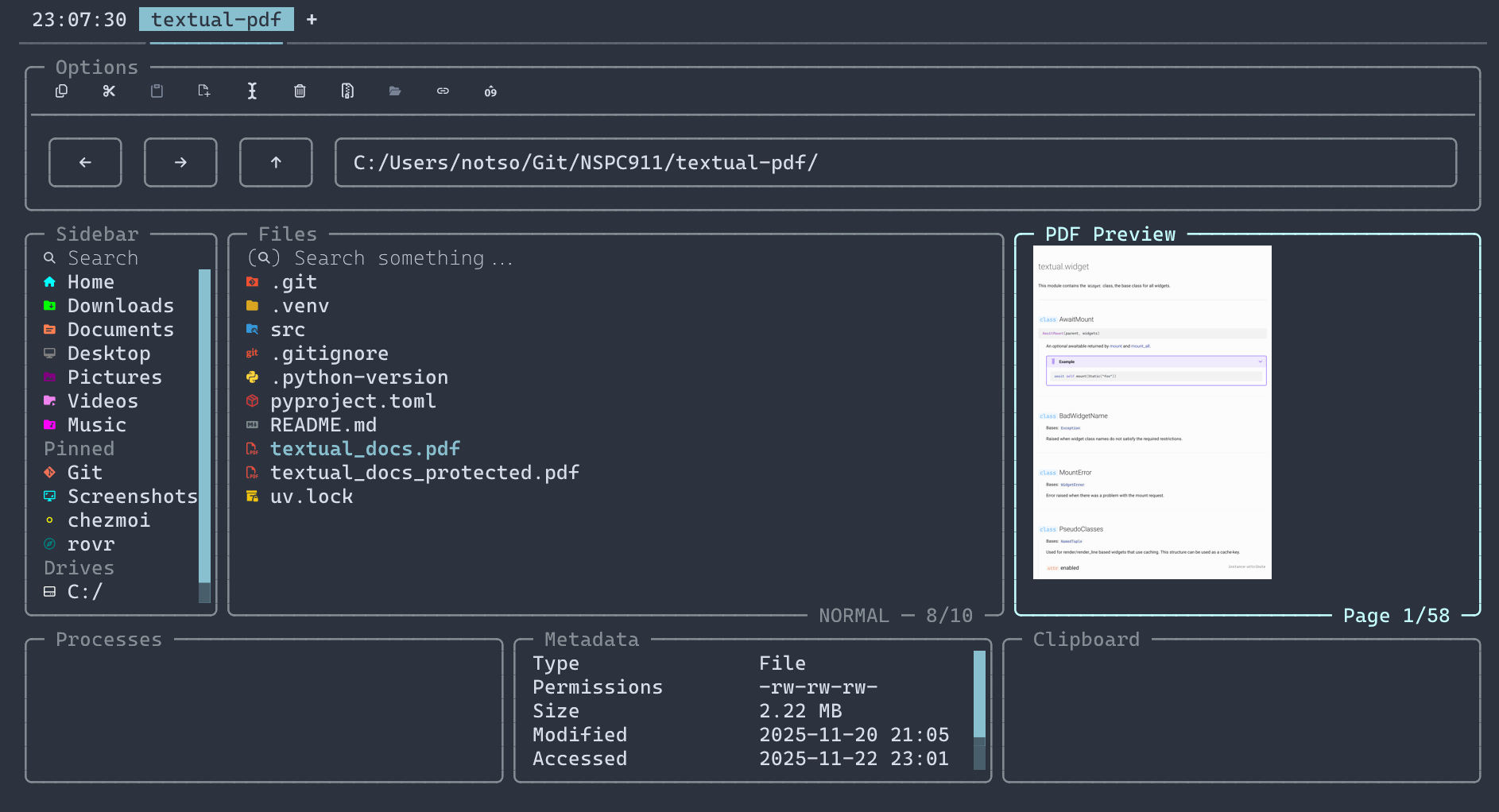
uses poppler to preview PDF files
enable: plugins.poppler.enabled = truepoppler_folder: set the location where the poppler tools are installed (e.g., /usr/bin or C:\Program Files\poppler\bin).pdf_batch_size: number of PDF pages to load in each batchuse_pdftocairo: whether to use pdftocairo instead of pdftoppm (may help performance)threads: number of threads to use for processing PDF files (default is 1)
uses the file
rovr automatically detects file in your PATH, or you can set the YAZI_FILE_ONE or ROVR_FILE_ONE (higher priority) environment variables to specify a custom path.
enable: plugins.file_one.enabled = trueget_description: whether to get extra file description from file -b <file> (default: true)
a plugin system is also under works, stay tuned!