So on 25th September 2025, GitHub published a blog that stated the deprecation of my beloved gh-copilot extension
https://github.blog/changelog/2025-09-25-upcoming-deprecation-of-gh-copilot-cli-extension
I never really checked it at that time, so when I tried to summon ghcs about a week ago, i got the fated error message
ghcs
The gh-copilot extension has been deprecated in favor of the newer GitHub Copilot CLI.
For more information, visit:
- Copilot CLI: https://github.com/github/copilot-cli
- Deprecation announcement: https://github.blog/changelog/2025-09-25-upcoming-deprecation-of-gh-copilot-cli-extension
No commands will be executed.I wasn’t that much affected, I still used opencode for any of my ‘agentic’ needs, but I wanted something that can do something similar to ghcs
So let’s set the ground rules.
- It must be done fully in PowerShell
- This means it wouldn’t depend on any other runtime, languages, whatever
- Also means that running commands is far easier
- It must support suggesting a command, and explaining a command
- It should look nice
With that out of the way, I introduce to you, my scuffed command helper
So first off, yes, this is done in 100% powershell, but it does depend on a few certain libraries
- I did take a look at both
Show-Markdownand charmbracelet/glow but they just didn’t look nice or customisable as compared torich.
Next, it does look relatively nice
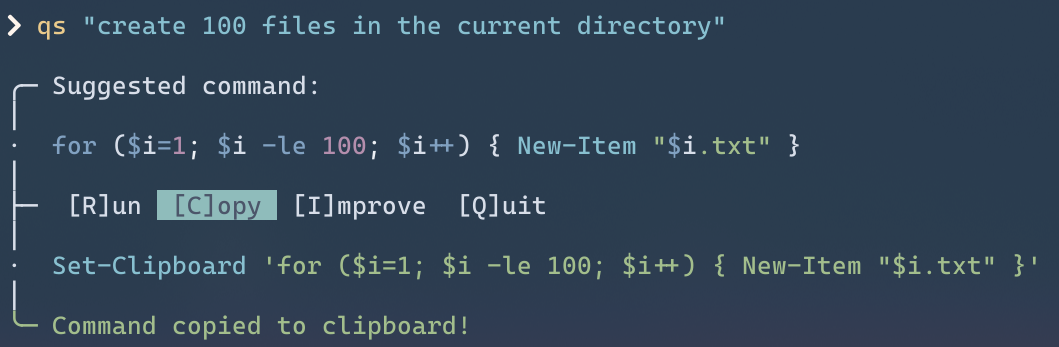
can you believe this is written with just powershell?
https://en.wikipedia.org/wiki/Box-drawing_characters and https://gist.github.com/fnky/458719343aabd01cfb17a3a4f7296797 were quite helpful in creating the UI itself
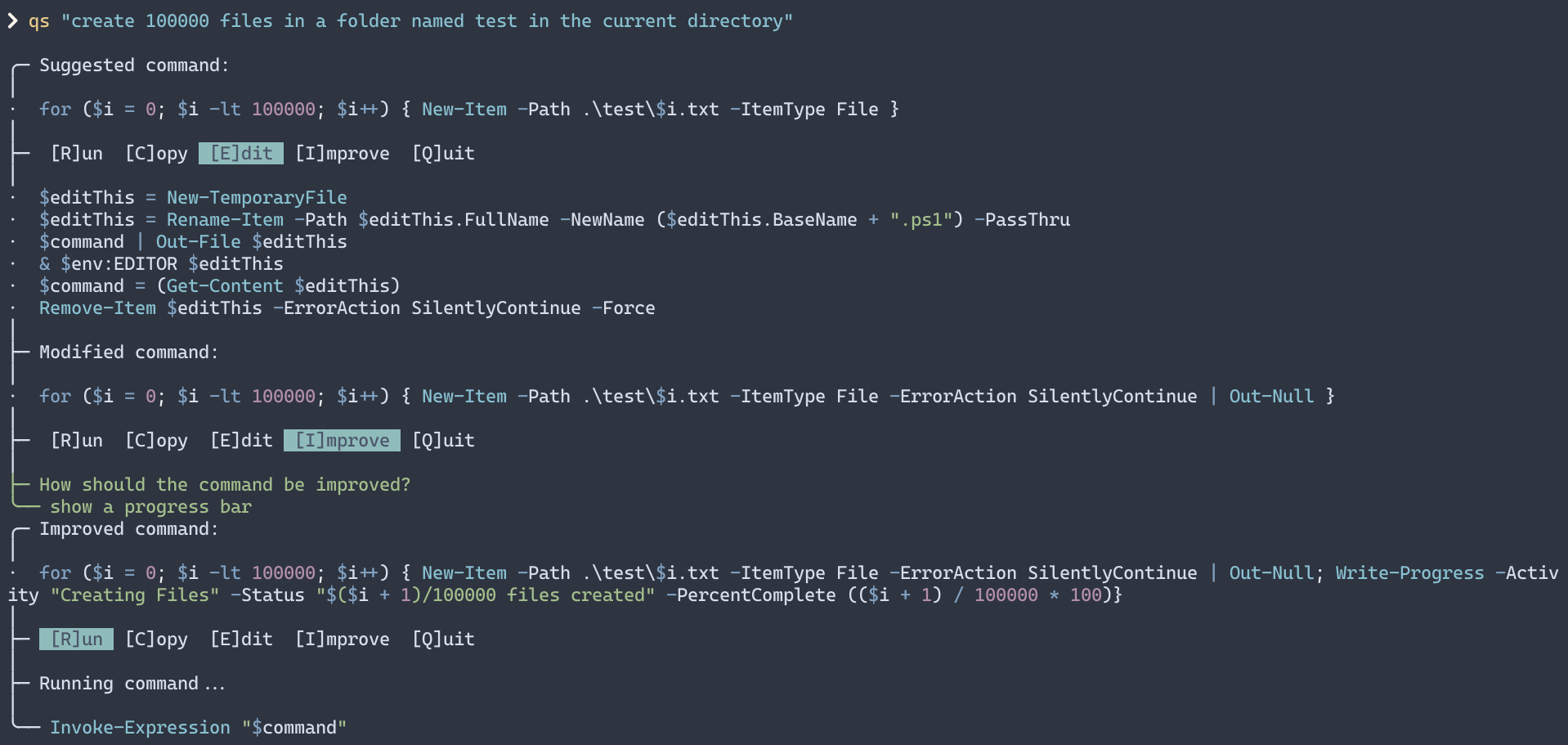
i quite like this
to some, this might seem too verbose, but I just want to see what commands my script is running
also the command explainer
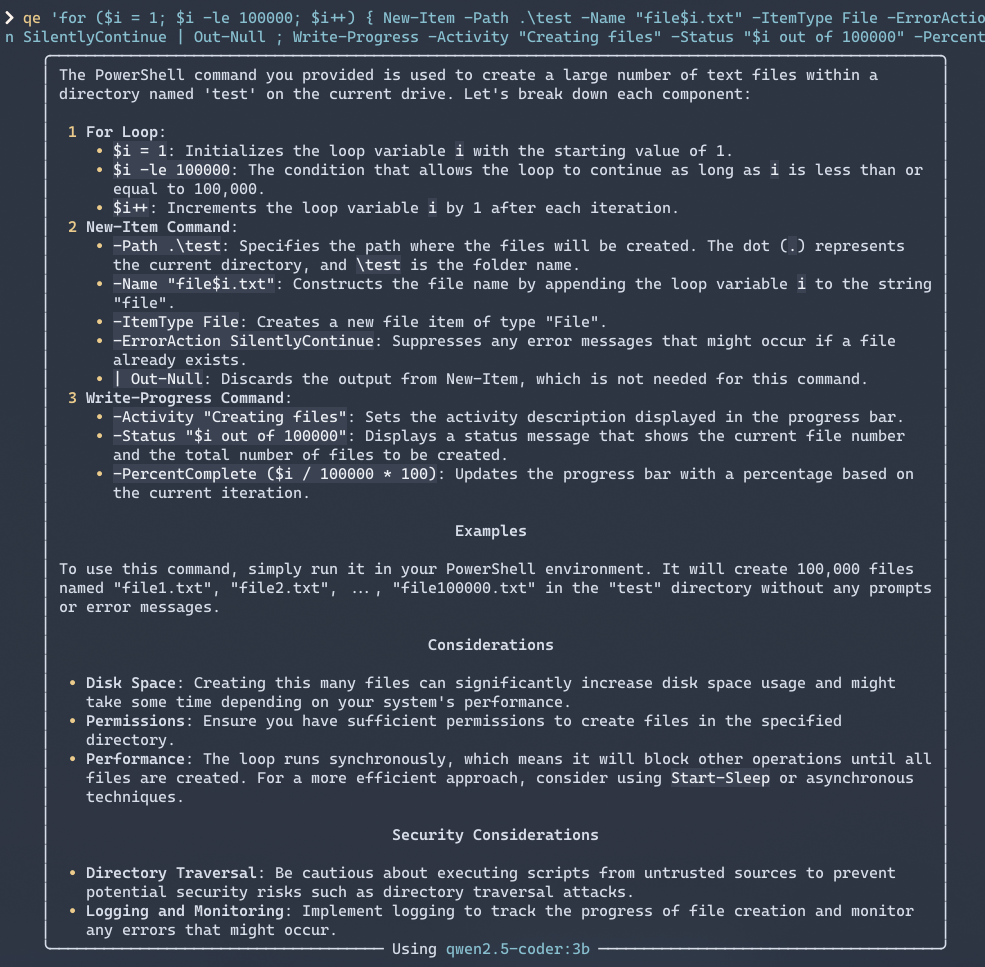
asking it to explain a command
but screenshots don’t do justice, so here is a video
The video is sped up at certain places. Parts like querying the LLM itself is quite slow, because I don’t have a dedicated GPU, nor is 16GB RAM enough.
I’m not planning to make this cross-shell, so either switch to powershell or create one yourself